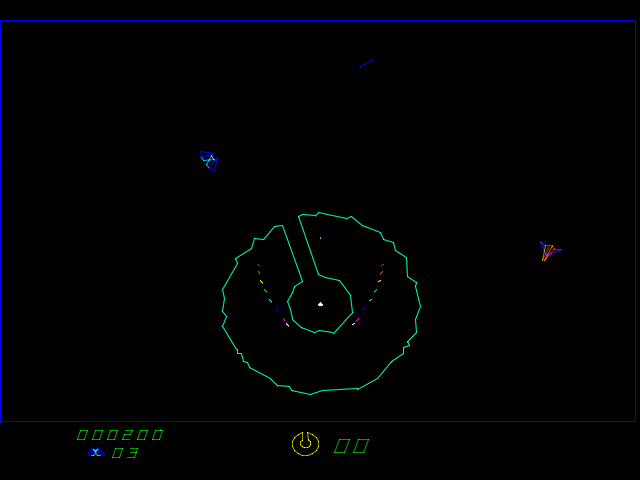
I decided to adopt a game called Eliminator: https://archive.org/details/arcade_elim2
I mainly chose this because it looked the most similar to a space shooter project that I'm working on and I thought I could draw ideas from it.
The first thing I did when playing this game was try to figure out which keys were supposed to be the usable buttons. I pressed all the keys on the keyboard, and tried to play with the ones that were responding, but I died pretty quickly. I then found out I could remap the controls with the tab key.
Even with my remapped controls, though, I still found that making any kind of progress on this game incredibly difficult. There are four main buttons: rotate left, rotate right, thrusters, and fire. The main challenge I had with this game was the disconnect between your ship's orientation and the screen's. Usually in 2D games, left means left on the screen, and right means right on the screen. In this game, however, pressing left only rotates and could take you in any direction.
Another difficulty I had playing this game is that it I found myself just inching the thruster along just to make sure I didn't run into anything. I would try to line up with the corridor of the giant asteroid base (the eponymous Eliminator) and finesse the angle of entry. The time I took try to do this, though, usually lead me to get bumped by the opposing ship's blaster right into the Eliminator and die.
In terms of playing this game on an emulator, it was nice having infinite credits to try out this game with, and I also like that they emulated the fuzzy pixels of arcade cabinets along with the game. However, like I mentioned before, I had to spend some time setting up the controls instead of just popping in a few tokens and pressing start. Also, this game took up maybe one-fourth of my laptop screen, as opposed to the full-screen immersion that standing in front of an arcade cabinet can give you.
